
.svg)
What’s New




New Tool: Create Anything Button
February 14, 2025
The Create Anything button! Instantly generate AI powered teaching resources—quizzes, vocabulary lists, escape rooms, and more—customized to your classroom. Try it now and bring your ideas to life in seconds!
 (1).avif)
5 New Create Tools
December 27, 2024
In Brisk's create menu you'll notice 5 new buttons. In just a few seconds, generate your:
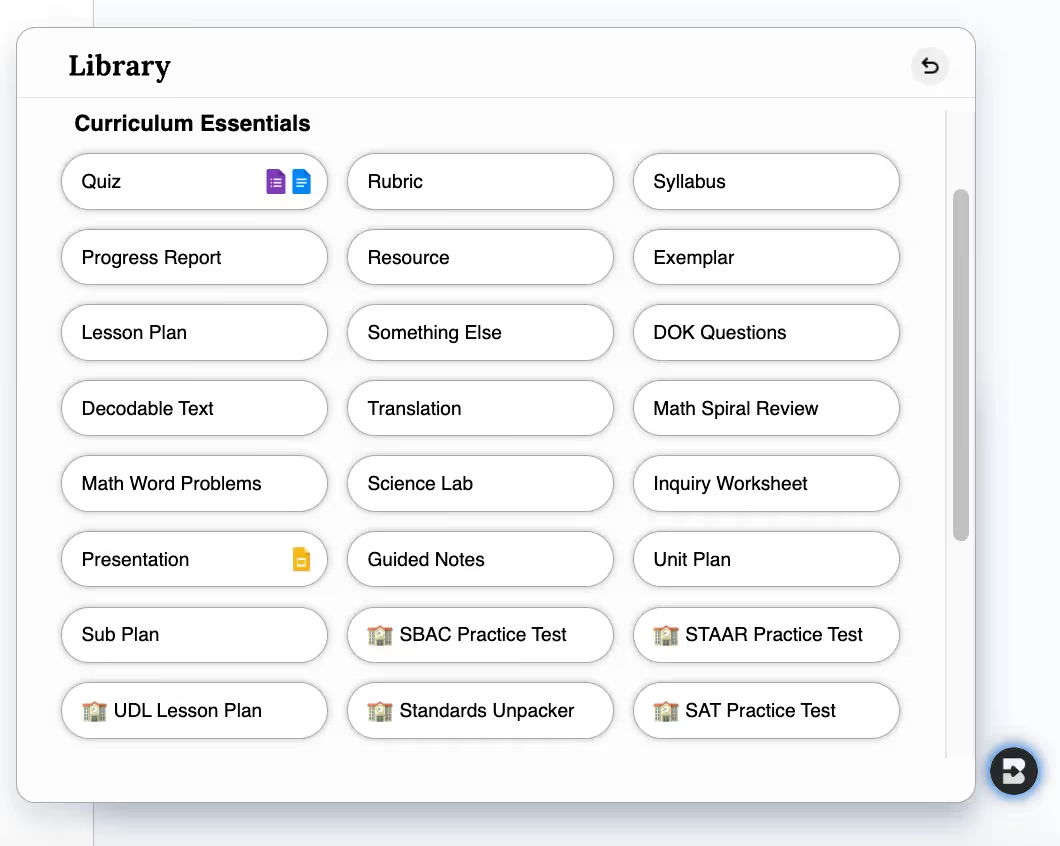
- Guided Notes: Brisk provides structured notes that highlight key points and concepts to keep students on track.
- Unit Plans: Generate organized unit plans with ready-to-use templates to keep lessons engaging.
- Sub Plans: Need a last-minute substitute? Brisk creates easy-to-follow plans and materials that you can share with the sub.
- SAT Practice Tests: Provide students with full-length, timed SAT practice tests to help them prepare for test day.
Brisk Boost for Students is Here!
September 17, 2024
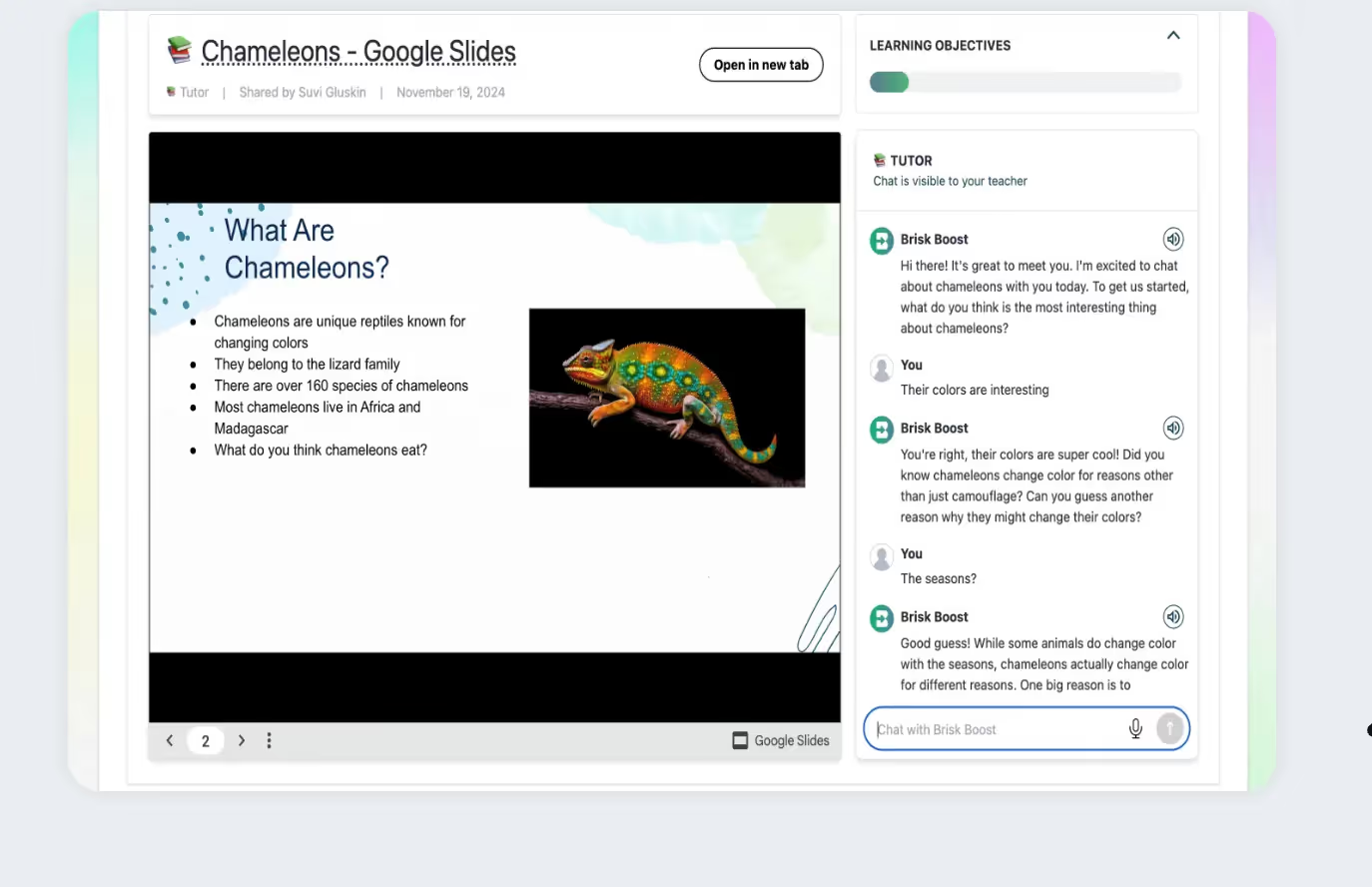
Brisk Boost is a tool that helps teachers turn everyday educational resources into interactive, AI-powered learning experiences. Teachers can transform materials like Google Docs, presentations, and articles into engaging activities that boost student participation and understanding. With Brisk Boost, students interact with AI-powered tools like brainstorming partners, quick checks for understanding, and real-time feedback - allowing teachers to personalize lessons and help students master the material in a secure, effective way. Learn more here.
4 New Tools!
August 28, 2024
4 new tools have been added to make Brisk more powerful for math and science educators. Open up the create menu to create a math spiral review, math word problems, science labs, and inquiry worksheets in seconds.

Premium Features Free for All Educators
August 27, 2024
Back to school is hectic, and we want you to have everything you need (and more!) to stress less this school year. So, we’re giving all educators FREE access to Brisk Educator Pro, our new teacher premium subscription, through September 15th. Whether you’re new to Brisk, or an existing user, open Brisk to experience all Brisk has to offer.

Brisk Educator Pro Plan is Here!
August 26, 2024
You asked… we’re so excited to announce that educators can individually purchase Brisk to access additional features. This plan is free for all educators through September 15th. Install Brisk here - you'll automatically see free premium features on your account.
Click here to learn more.
Google Slides!
August 23, 2024
Slide through your presentation prep in seconds! Use Brisk to:
1. Create slide decks from scratch
2. Give Feedback on student-created slide decks
And the best part? You can do it all right from within your Google workspace. Give it a try and save valuable hours.
Canvas SpeedGrader Integration
August 22, 2024
Brisk seamlessly integrates with Canvas SpeedGrader, enhancing Google Assignments with targeted feedback options. Whether you're using 'Glow & Grow', 'Next Steps', or specific 'Rubric Criteria' feedback styles, Brisk supports all submission types. Highlight sections of a student's work to direct feedback to those areas. If you're using a rubric, upload it into Brisk for streamlined assessment. See all details here!

Brisk has a new look!
August 21, 2024
Our updated icon and logos better reflect Brisk as the professional and seamlessly integrated tool that you know and love. In support of this new look, we also have a ✨Press Kit ✨! As you're sharing or presenting on Brisk, you can pull our updated logos and icons from this folder.
Youtube Integration!
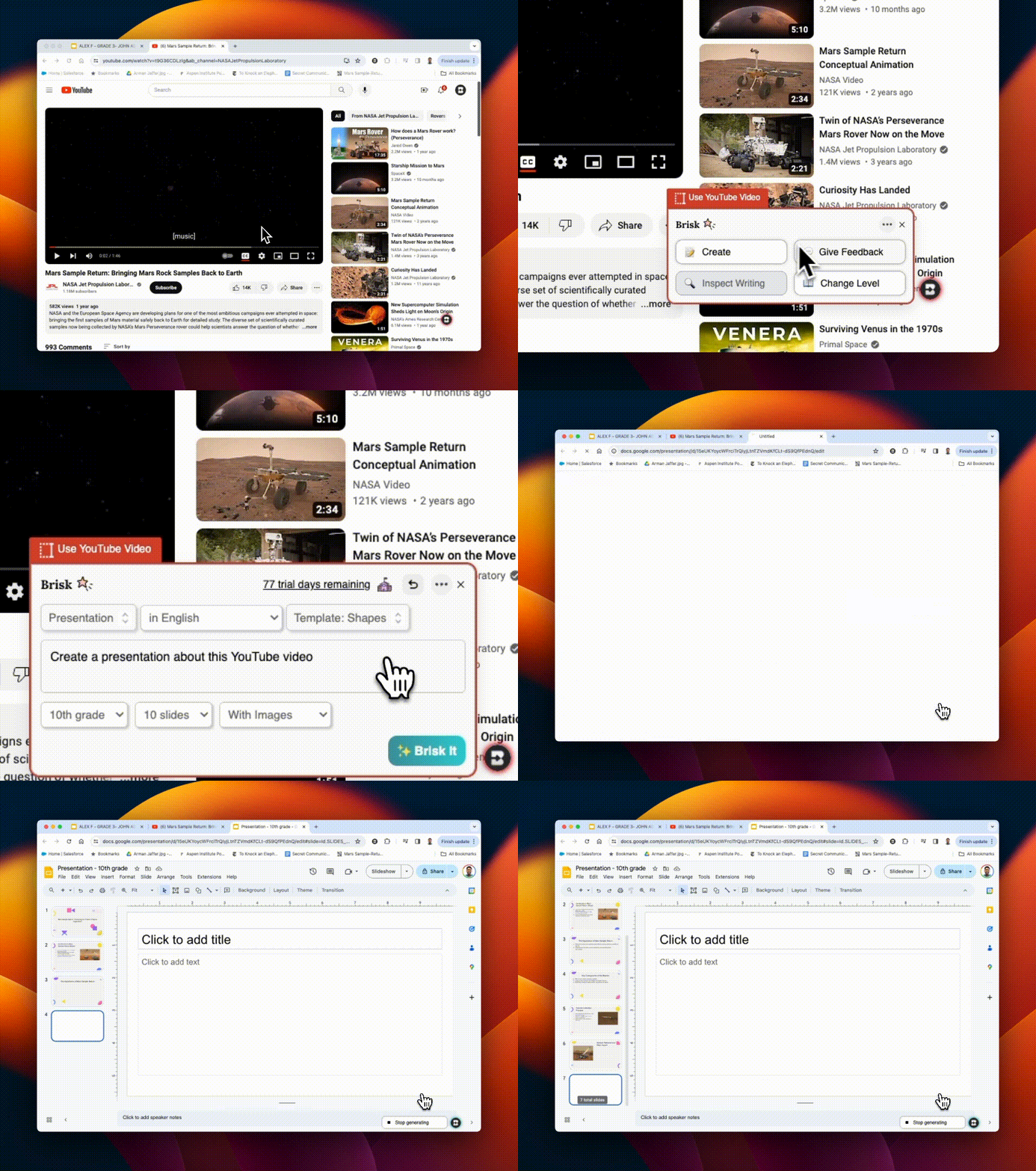
August 20, 2024
Use ANY Brisk tool on Youtube videos! You can create lesson plans, quizzes, feedback, resources, rubrics... directly from a Youtube video. If you're assessing a student project that was uploaded to Youtube, you can even give feedback directly from there!

